
Bad Defaults: Make Cursor Open Your Last Used Windows, Not the Agent Window
November 16th, 2026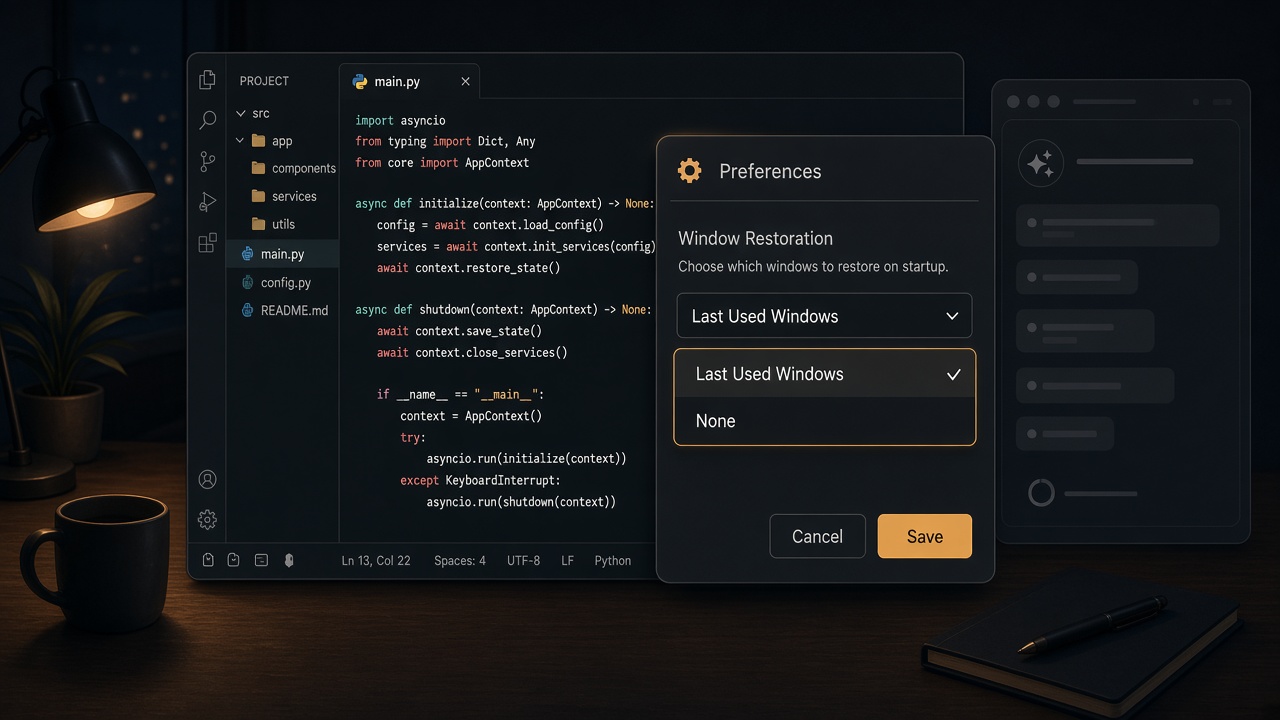
Every time I launched Cursor, it brought up the Agents Window. I don't want that window. I want the editor I was last working in — the project, the files, the layout. Cursor's default is to treat the agent as the front door.
That's a bad default. An editor should open as an editor.
The fix
This setting lives in Cursor Settings, not the regular VS Code-style Settings panel you get with Cmd+, or Ctrl+,.
- Open Cursor Settings. On a Mac that's
Cmd+Shift+J. On Windows and Linux, tryCtrl+Shift+J, or use the gear menu and choose Cursor Settings. - Go to General → Startup.
- Set Window Restoration to Last Used Windows.
- Close the Agents Window if it's open, make the IDE window the active one, and fully quit Cursor from there.
The next launch should restore your last editor windows instead of the Agents Window.
One important detail: if the Agents Window is still open when you quit, it can come back on the next launch even with this setting. Close it first, then quit from the IDE.
On older builds, before Cursor 3.12, this same control was labeled Open Agents Window on Startup. Turn that off. Version 3.12 renamed it to Window Restoration.
This is not a settings.json key
You won't find this under Preferences: Open User Settings (JSON). Cursor stores it separately from the usual VS Code settings. The internal preference is cursor/userWindowRestorationPreference, and Last Used Windows is the value lastUsedWindows:
cursor/userWindowRestorationPreference = lastUsedWindowsThe other values are default and agentWindow. Change this in the Cursor Settings UI. I wouldn't hand-edit Cursor's internal database.
Don't confuse it with the VS Code setting window.restoreWindows, which only decides whether previous editor windows are restored. It does not control whether Cursor opens the Agents Window on startup.
Let Cursor be the editor
I use Grok Bot as my agent interface now. For me, it's a better place to work with an agent than Cursor's Agents Window, so I don't need that window waiting for me every time the editor starts. Cursor can just be the editor: open my last used windows, and stay out of the way.
Posted In:
ABOUT THE AUTHOR:
Software Developer always striving to be better. Learn from others' mistakes, learn by doing, fail fast, maximize productivity, and really think hard about good defaults. Computer developers have the power to add an entire infinite dimension with a single Int (or maybe BigInt). The least we can do with that power is be creative.


 Subscriptions:
 Whole Mars